
Back to blog
Website usability best practices for marketers in 2026
Papi Petrou, SEO & Content Writer Specialist

Website usability best practices for marketers in 2026
 Many websites lose visitors and revenue because of poor usability. Confusing navigation, slow load times, and inaccessible features frustrate users and drive them away. Digital marketers and designers face mounting pressure to create seamless experiences that convert. In 2026, implementing proven usability best practices is essential for staying competitive. This guide delivers expert-backed techniques to evaluate, design, and optimize your website for maximum user satisfaction and business results.
Table of Contents
- Understanding Usability Challenges And Preparing For Evaluation
- Implementing Accessibility And Inclusive Design From The Start
- Testing Edge Cases And Optimizing Website Performance
- Applying Minimalist Design And Consistent User Interfaces To Enhance Clarity
- Enhance Your Website Usability With Expert Services
- Frequently Asked Questions
Key takeaways
| Point | Details |
|---|---|
| Heuristic evaluation and SUS | Use expert reviews and standardized scoring to identify usability issues early and benchmark improvements |
| Accessibility compliance | Integrate WCAG standards from day one to reach all users and reduce abandonment |
| Edge case testing | Manual testing catches network issues, multi-user scenarios, and performance problems automated tests miss |
| Minimalist design | Remove clutter and maintain consistency to reduce cognitive load and improve user focus |
Understanding usability challenges and preparing for evaluation
Websites often suffer from common usability pitfalls like unclear error messages, inconsistent layouts, limited user control, and inaccessible content. These issues create friction that sends visitors elsewhere. Before you can fix problems, you need to find them systematically. Heuristic evaluation provides a cost-effective starting point. This method involves usability experts reviewing your site against established principles. Heuristic evaluation identifies up to 75% of usability issues but should complement user testing due to limitations. Experts spot major problems quickly, but they cannot predict every real-world user behavior. Combining expert reviews with empirical user testing gives you comprehensive insights. The System Usability Scale (SUS) adds quantifiable measurement to your evaluation process. This 10-item questionnaire produces scores from 0 to 100, letting you benchmark your site against industry standards and track improvements over time. Preparing for evaluation means understanding Jakob Nielsen’s 10 usability heuristics. These principles guide expert reviewers and inform your design decisions:- Visibility of system status keeps users informed about what is happening
- Match between system and real world uses familiar language and concepts
- User control and freedom provides undo and redo options
- Consistency and standards maintains predictable patterns throughout
- Error prevention designs interfaces that minimize mistakes
- Recognition rather than recall makes options visible instead of requiring memory
- Flexibility and efficiency offers shortcuts for experienced users
- Aesthetic and minimalist design removes unnecessary elements
- Help users recognize and recover from errors with clear messages
- Help and documentation provides support when needed
Implementing accessibility and inclusive design from the start
Accessibility directly impacts usability for the 25% of US adults living with some form of disability. When you design for accessibility, you improve the experience for everyone. Keyboard navigation helps users with motor impairments but also benefits power users who prefer shortcuts. Most websites fail basic accessibility tests. 94.8% of top homepages have WCAG accessibility failures, leading to higher abandonment rates. Common problems include low color contrast, missing alternative text for images, and inadequate form labels. These issues frustrate users and expose your organization to legal risks. Integrating Web Content Accessibility Guidelines (WCAG) from day one prevents costly retrofitting later. Accessibility should inform your initial wireframes and design mockups, not become an afterthought. Early integration saves time and money while expanding your potential audience.
Essential accessibility practices include:
Integrating Web Content Accessibility Guidelines (WCAG) from day one prevents costly retrofitting later. Accessibility should inform your initial wireframes and design mockups, not become an afterthought. Early integration saves time and money while expanding your potential audience.
Essential accessibility practices include:
- Semantic HTML structure that assistive technologies can interpret correctly
- Keyboard navigation for all interactive elements without mouse dependency
- Responsive design that adapts to different screen sizes and zoom levels
- Clear color contrast meeting WCAG AA standards at minimum
- Descriptive alternative text for images conveying meaning and context
- Proper form labels associated with input fields for screen readers
- Captions and transcripts for audio and video content
Testing edge cases and optimizing website performance
Automated testing catches many bugs, but real users encounter scenarios your scripts never imagined. Edge cases include poor network connections, account sharing between family members, name changes after marriage, and diverse accessibility needs. Manual testing uncovers edge cases like poor connections and multi-user edits that automated tests might miss. Exploratory testing involves testers using your site like actual users would, trying unexpected combinations and workflows. They might upload unusually large files, enter special characters in form fields, or switch between mobile and desktop mid-session. These real-world scenarios reveal usability problems that threaten user satisfaction. Performance optimization directly impacts usability. Slow loading times frustrate users and increase bounce rates. Responsive layouts that adapt smoothly to different devices create seamless experiences. Performance is not just a technical concern but a core usability factor. Manual testing checklist for comprehensive edge case coverage:- Test on throttled network connections simulating 3G and spotty WiFi to verify graceful degradation
- Verify multi-user scenarios where accounts are shared or edited simultaneously by different people
- Check form handling for special characters, extremely long inputs, and unusual but valid data
- Validate offline mode functionality and data synchronization when connectivity returns
- Examine accessibility with screen readers, keyboard-only navigation, and voice control systems
- Review cross-browser compatibility on older versions still used by significant user segments
- Test rapid interactions like double-clicking, quick form submissions, and fast navigation changes
- Verify proper handling of user lifecycle events like name changes, address updates, and account deletions
Applying minimalist design and consistent user interfaces to enhance clarity
Minimalist design removes distractions and focuses user attention on essential information. Every element on your page should serve a clear purpose. Decorative graphics that do not support user goals create visual noise and slow comprehension. Aesthetic and minimalist design is a core usability heuristic to reduce distractions and focus attention.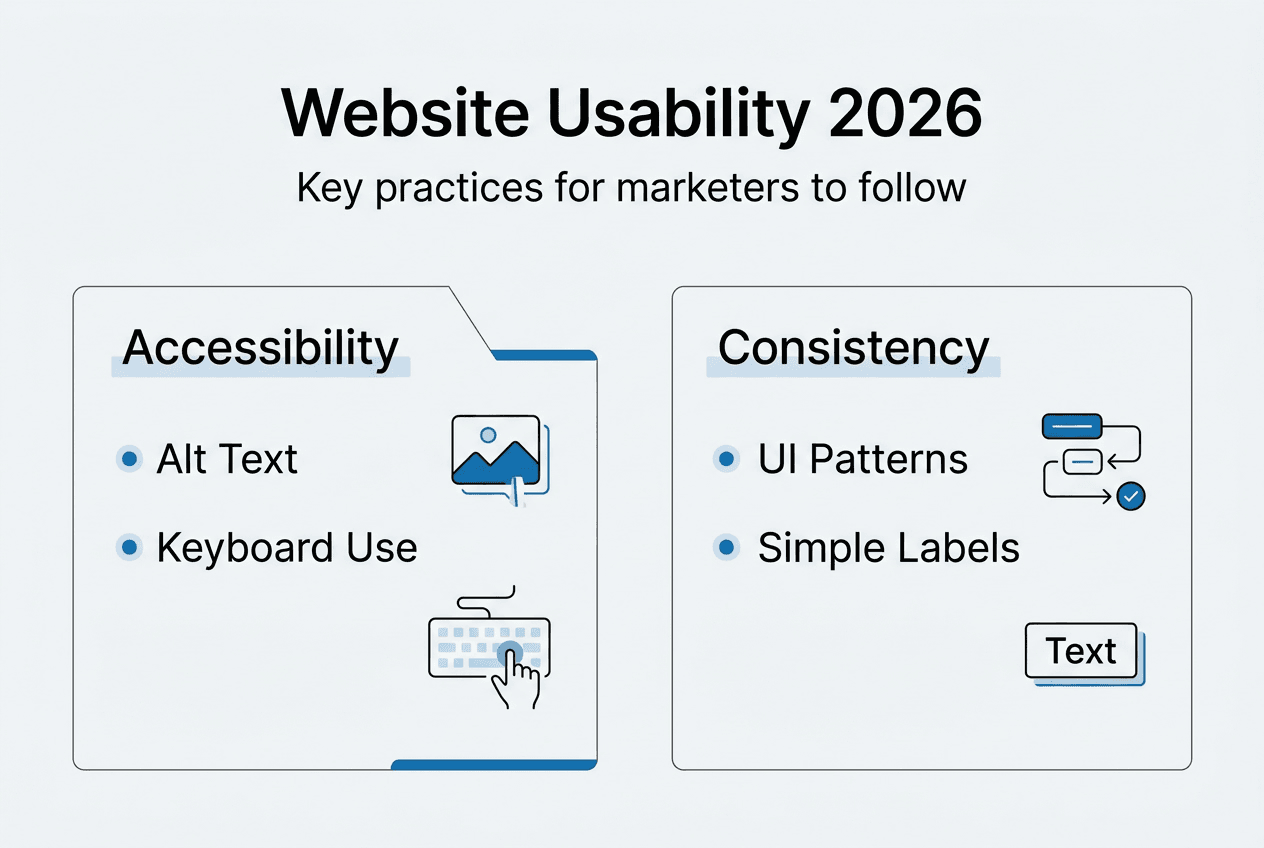 Consistency with established standards reduces learning time and errors. When your navigation follows familiar patterns, users know exactly where to find what they need. Consistent terminology across your site prevents confusion. If you call something a “shopping cart” on one page, do not switch to “basket” elsewhere.
| Design Approach | Characteristics | User Impact |
| — | — | |
| Cluttered Interface | Multiple competing calls to action, dense text blocks, inconsistent styling, excessive graphics | Users feel overwhelmed, struggle to find information, abandon tasks, experience decision paralysis |
| Minimalist Interface | Clear hierarchy, ample white space, focused messaging, consistent patterns, purposeful visuals | Users complete tasks faster, understand content easily, feel confident, return more frequently |
Key principles of interface consistency:
Consistency with established standards reduces learning time and errors. When your navigation follows familiar patterns, users know exactly where to find what they need. Consistent terminology across your site prevents confusion. If you call something a “shopping cart” on one page, do not switch to “basket” elsewhere.
| Design Approach | Characteristics | User Impact |
| — | — | |
| Cluttered Interface | Multiple competing calls to action, dense text blocks, inconsistent styling, excessive graphics | Users feel overwhelmed, struggle to find information, abandon tasks, experience decision paralysis |
| Minimalist Interface | Clear hierarchy, ample white space, focused messaging, consistent patterns, purposeful visuals | Users complete tasks faster, understand content easily, feel confident, return more frequently |
Key principles of interface consistency:
- Layout patterns that repeat across pages so users develop mental models
- Color schemes applied systematically to reinforce meaning and brand identity
- Typography hierarchy using consistent sizes and weights for headings and body text
- Terminology and labels that remain stable throughout the user journey
- Interactive elements like buttons and links that behave predictably
- Navigation structures that maintain position and organization across sections
Enhance your website usability with expert services
Implementing comprehensive usability improvements requires specialized expertise and dedicated resources. Invisio Solutions offers expert website UI/UX design services tailored to boost usability and engagement for digital marketers and designers. Our team applies the best practices covered in this guide to create interfaces that users love. Our responsive web design solutions adapt your site seamlessly to diverse devices, ensuring consistent experiences across smartphones, tablets, and desktops. We integrate accessibility compliance from the start, conduct thorough usability testing, and apply minimalist design principles that enhance clarity without sacrificing functionality. Explore our digital usability case studies demonstrating improved conversion outcomes and user satisfaction metrics.


