
Image SEO best practices to boost your website traffic

Images drive engagement, but if yours are not optimized, you are leaving traffic on the table. Search engines rely on image metadata, file structure, and performance signals to rank your content, and unoptimized images can slow your site, hurt accessibility, and cost you visibility. This guide walks you through the preparation, execution, and verification steps to leverage image SEO best practices that improve rankings, enhance user experience, and unlock new sources of organic traffic for your website.
Table of Contents
- Key takeaways
- Understanding image SEO and why it matters
- Preparation: key elements before you optimize images
- Execution: optimizing images for performance and SEO
- Verification: auditing and maintaining image SEO health
- Why Invisio Solutions is your partner for image SEO success
- FAQ
Key Takeaways
| Point | Details |
|---|---|
| Boosts traffic and UX | Optimized images improve site traffic and user experience by making content more discoverable and faster to load. |
| Descriptive filenames and alt text | Descriptive filenames and alt text provide accessibility and SEO signals that help crawlers understand image content. |
| Compress images for speed | Compressing images reduces file size to speed up page loads without noticeably lowering quality. |
| Structured data and responsive images | Using structured data and responsive images helps search engines index visuals and serve appropriately sized images across devices. |
| Audit image SEO regularly | Regular audits and updates keep image metadata, filenames, and formats aligned with evolving SEO best practices. |
Understanding image SEO and why it matters
Image SEO is the practice of optimizing image elements like filenames, alt text, file size, and format to improve search engine rankings and user experience. Optimizing images can significantly improve website traffic and user experience by making your content more discoverable and accessible. When you integrate image SEO into your broader technical SEO services strategy, you create a cohesive approach that addresses both on-page and technical factors.
Search engines cannot see images the way humans do. They rely on metadata, file attributes, and contextual signals to understand what an image represents and how it relates to the surrounding content. When you provide clear, descriptive information through alt text, filenames, and structured data, you help search engines index your images accurately. This increases the likelihood of appearing in image search results, which can drive substantial traffic to your site.
User experience is another critical dimension of image SEO. Fast load times keep visitors engaged, reduce bounce rates, and signal quality to search engines. Accessibility matters too: screen readers depend on alt text to describe images to visually impaired users. When you optimize for both SEO and accessibility, you create a better experience for everyone.
“Images that load quickly and are properly labeled improve both user satisfaction and search engine rankings, creating a virtuous cycle of engagement and visibility.”
Common pitfalls of ignoring image SEO include:
- Slow page load times that frustrate users and hurt Core Web Vitals scores
- Missed ranking opportunities in image search, which accounts for a significant portion of Google searches
- Poor accessibility that excludes users with disabilities and violates best practices
- Wasted bandwidth and server resources from oversized, uncompressed files
By addressing these issues proactively, you set the foundation for a high-performing website that ranks well and delivers a seamless user experience.
Preparation: key elements before you optimize images
Before you dive into technical optimization, you need to establish the foundational elements that make image SEO effective. This preparation phase ensures that every image on your site is set up for success from the start.
Selecting high-quality, relevant images is the first step. Your images should directly support the content topic and provide value to readers. Stock photos can work, but original images often perform better because they are unique and more closely aligned with your brand. If you are working with a graphic design team, collaborate to create visuals that are both aesthetically appealing and optimized for web use.
Naming files descriptively is a simple yet powerful practice. Instead of generic names like IMG_1234.jpg, use descriptive filenames that include relevant keywords, such as responsive-image-optimization-example.jpg. This helps search engines understand the image content before they even parse the alt text. Descriptive filenames and alt text greatly enhance image SEO performance by providing clear signals to crawlers.
Choosing the correct image format is essential for balancing quality and file size. JPEG works well for photographs because it supports millions of colors and compresses efficiently. PNG is ideal for graphics, logos, and images that require transparency. WebP is a modern format that offers superior compression and quality, making it a strong choice for performance-focused sites. The table below compares these formats:
| Format | Pros | Cons | Best use |
|---|---|---|---|
| JPEG | Small file size, wide support | Lossy compression, no transparency | Photographs, complex images |
| PNG | Lossless compression, transparency | Larger file sizes | Logos, graphics, simple images |
| WebP | Excellent compression, quality | Limited older browser support | Modern websites prioritizing speed |
| SVG | Scalable, small size | Only for vector graphics | Icons, logos, simple illustrations |
Writing accessible, keyword-rich alt text is a cornerstone of image SEO. Alt text should describe the image clearly and concisely, incorporating relevant keywords naturally without stuffing. Focus on the image’s purpose and how it supports the content. For example, instead of “person working,” use “digital marketer analyzing SEO dashboard on laptop.” This approach benefits both search engines and users who rely on screen readers.

Pro Tip: Automate filename conventions and alt text generation for large sites by using content management system plugins or custom scripts. This ensures consistency and saves time, especially when managing hundreds or thousands of images.
Execution: optimizing images for performance and SEO
Once your images are prepared with descriptive filenames, appropriate formats, and strong alt text, the next phase is technical optimization. This is where you enhance performance, responsiveness, and discoverability to maximize SEO impact.
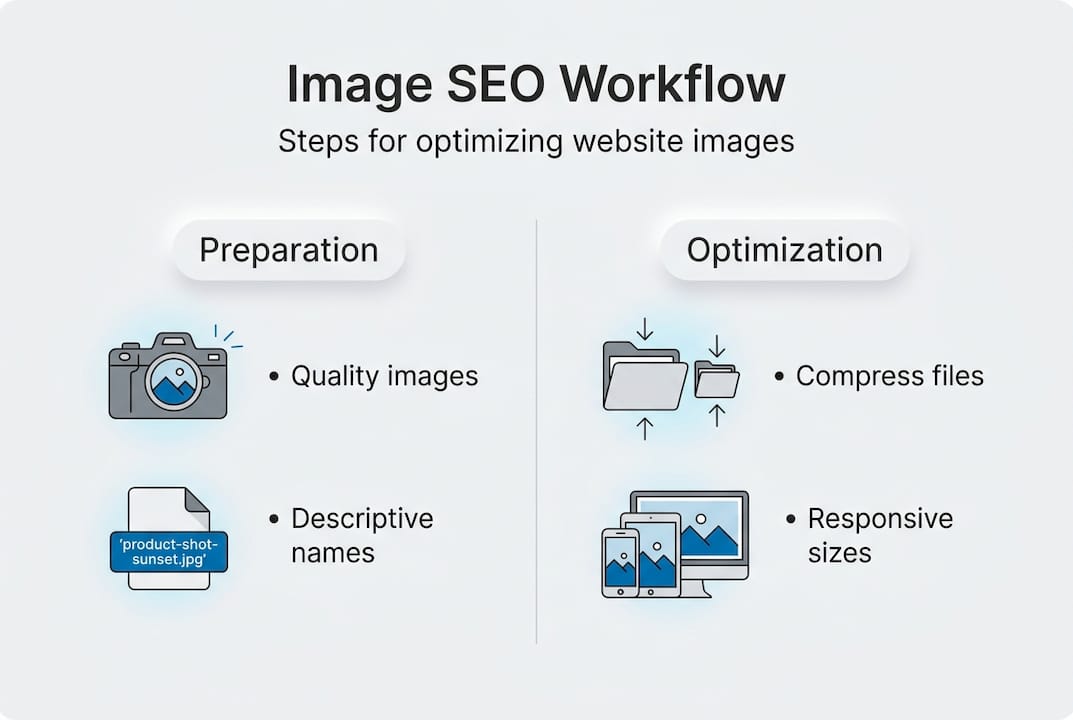
Step 1: Compress images using lossless or lossy techniques efficiently. Compression reduces file size without significantly degrading visual quality, which improves load times and Core Web Vitals scores. Lossless compression retains all original data, making it ideal for images where quality is paramount. Lossy compression discards some data to achieve smaller file sizes, which works well for photographs and images where minor quality loss is acceptable. Proper technical optimization like compression and responsive images improves page speed and SEO rankings by delivering faster experiences.
Step 2: Implement srcset and sizes attributes for responsiveness on different devices. Responsive images adapt to various screen sizes and resolutions, ensuring that users on mobile devices do not download unnecessarily large files. The srcset attribute lets you specify multiple image versions, and the browser selects the most appropriate one based on the device. The sizes attribute defines how much space the image will occupy, helping the browser make smarter loading decisions. This is especially important for website development projects where mobile optimization is a priority.
Step 3: Add structured data schema to images for enhanced search appearance. Structured data helps search engines understand the context and purpose of your images, which can lead to rich results like image carousels and enhanced snippets. Use schema markup like ImageObject to provide details such as caption, license, and creator. This extra layer of information increases the chances of your images appearing prominently in search results.
Step 4: Use caching strategies and CDNs to accelerate image delivery. Caching stores copies of your images closer to users, reducing server load and improving load times. A content delivery network distributes your images across multiple servers worldwide, ensuring fast delivery regardless of user location. These strategies are critical for high-traffic sites and global audiences.
The table below compares popular compression tools:
| Tool | Pros | Cons | Best use |
|---|---|---|---|
| TinyPNG | Easy to use, good compression | Limited free tier | Small to medium sites |
| ImageOptim | Lossless compression, Mac-friendly | Mac only | Mac users prioritizing quality |
| ShortPixel | Bulk optimization, API available | Paid for high volume | Large sites, agencies |
| Squoosh | Browser-based, customizable | Manual process | Testing and experimentation |
Pro Tip: Balance compression level with visual quality by testing different settings and comparing results. Aim for a file size reduction of 50-70% while maintaining acceptable visual fidelity. Use tools like Google Lighthouse to measure the impact on performance metrics and adjust accordingly.
Verification: auditing and maintaining image SEO health
Optimization is not a one-time task. Regular audits and maintenance ensure that your image SEO remains effective and adapts to changes in your site, search algorithms, and user behavior.
Tools to audit image SEO include Google Search Console, Lighthouse, and Screaming Frog. Google Search Console provides insights into how your images perform in search results, including impressions, clicks, and average position. Lighthouse, built into Chrome DevTools, evaluates page performance and flags issues like oversized images and missing alt text. Screaming Frog crawls your site and generates reports on image attributes, broken links, and missing metadata. Regular audits help maintain image SEO effectiveness and identify issues early before they impact rankings.
Common issues to watch for include:
- Missing or empty alt text that leaves search engines and screen readers without context
- Oversized images that slow page load times and hurt Core Web Vitals
- Broken image links that create a poor user experience and signal site quality issues
- Incorrect file formats that result in unnecessarily large files or poor visual quality
Steps to prioritize and fix errors based on impact:
- Identify high-traffic pages with image issues using Google Search Console and analytics data
- Focus on images that appear above the fold or in critical content areas
- Fix missing alt text and oversized images first, as these have the most immediate SEO and UX impact
- Address broken links and incorrect formats in a second pass
- Document your fixes and monitor performance metrics to measure improvement
Tracking image SEO metrics is essential for understanding the effectiveness of your efforts. Monitor load speed using tools like PageSpeed Insights and WebPageTest. Track impressions, clicks, and click-through rate from image search in Google Search Console. Measure engagement metrics like time on page and bounce rate to see how image optimization affects user behavior.
Routine maintenance tasks for image assets:
- Review and update alt text quarterly to ensure it remains accurate and keyword-optimized
- Compress new images before uploading them to the site
- Check for broken image links monthly using crawling tools
- Test responsive image implementations on various devices and screen sizes
- Monitor Core Web Vitals and address any performance regressions promptly
Troubleshooting tips for common problems:
- If images are not appearing in search results, verify that they are not blocked by robots.txt or noindex tags
- If load times are slow despite compression, consider using a CDN or upgrading your hosting plan
- If alt text is missing, audit your content management system workflow and implement checks before publishing
- If responsive images are not loading correctly, review your srcset and sizes attributes for syntax errors
By integrating these verification and maintenance practices into your workflow, you ensure that your image SEO remains robust and continues to deliver results over time. For complex issues or large-scale implementations, consider partnering with experts who specialize in technical SEO services fixing crawl errors and ongoing optimization.
Why Invisio Solutions is your partner for image SEO success
Implementing image SEO best practices requires expertise, attention to detail, and ongoing maintenance. Invisio Solutions offers comprehensive technical SEO services that cover every aspect of image optimization, from initial audits to continuous monitoring and refinement. Our team combines deep SEO knowledge with graphic design services to create visually stunning, SEO-friendly images that engage users and rank well.

When you partner with Invisio Solutions, you gain access to a full-service digital agency that understands how image SEO fits into the bigger picture of website performance and user experience. Our website UI UX design expertise ensures that your images are not only optimized for search engines but also deliver an exceptional experience across all devices. We handle the technical complexities so you can focus on growing your business and engaging your audience.
FAQ
How do I create effective alt text for images?
Describe the image clearly and concisely using relevant keywords without keyword stuffing. Focus on the image’s purpose and how it supports the content, ensuring it is useful for both SEO and screen reader users. Aim for 10-15 words that capture the essential information.
What image formats are best for SEO and performance?
JPEG is ideal for photographs due to its efficient compression and wide support. PNG works well for graphics with transparency, while WebP offers superior compression and quality balance for modern websites. Choosing the right format reduces load times and improves user experience.
How often should I audit my website’s images for SEO?
Perform image SEO audits quarterly or after major website updates to catch issues early. Use tools like Google Search Console and Lighthouse to identify missing alt text, oversized images, and broken links promptly. Regular audits ensure sustained performance and competitiveness.
Can image SEO really drive significant traffic to my site?
Yes, image search accounts for a substantial portion of Google searches, and optimized images can appear in both image results and enhanced snippets. By implementing best practices, you increase discoverability and attract users who are searching visually. This creates an additional traffic channel that complements traditional text-based SEO.
What is the impact of lazy loading on image SEO?
Lazy loading defers the loading of images until they are about to enter the viewport, which improves initial page load times and Core Web Vitals scores. Search engines support lazy loading and recognize its performance benefits, so implementing it correctly can enhance both user experience and SEO. Ensure that images above the fold are not lazy loaded to avoid delays in rendering critical content.
Recommended