
Back to blog
Homepage best practices to boost conversions and UX in 2026
Papi Petrou, SEO & Content Writer Specialist

Homepage best practices to boost conversions and UX in 2026
 Many website owners struggle with homepages that fail to engage visitors or convert them into customers. Your homepage is often the first impression potential clients have of your business, and a poorly designed one can drive them away in seconds. This guide walks you through actionable homepage best practices for 2026, covering everything from essential design elements to continuous optimization strategies. You’ll learn how to create a homepage that not only looks professional but also delivers measurable results through improved user experience and higher conversion rates.
Table of Contents
- Understanding The Key Elements Of An Effective Homepage
- Preparing Your Homepage For Optimal User Experience
- Executing Best Practices For Homepage Design And Content
- Verifying Your Homepage Effectiveness And Optimizing Over Time
- Improve Your Homepage With Expert Web Design Services
Key takeaways
| Point | Details |
|---|---|
| Clear structure and strong CTAs improve conversions | Strategic placement of calls to action and intuitive navigation guide visitors toward desired actions |
| Optimizing for mobile and speed enhances UX | Responsive design and fast loading times keep users engaged across all devices |
| Consistent branding and user-centric design builds trust | Cohesive visual identity and accessibility features create credibility and widen your audience reach |
| Testing and refining are crucial for sustained success | Regular A/B testing and performance monitoring ensure your homepage continues to meet evolving user expectations |
Understanding the key elements of an effective homepage
Your homepage serves as the digital front door to your business, and getting the fundamentals right makes all the difference. Homepage elements such as clear navigation, compelling headlines, and strong calls to action are critical to user engagement and conversions. When visitors land on your site, they should immediately understand what you offer and how to take the next step. Your headline is the first thing users read, so it needs to communicate your value proposition instantly. A clear, concise headline tells visitors exactly what your business does and why they should care. Avoid vague statements and focus on the specific benefit you deliver. For example, instead of “We’re here to help,” try “Custom web solutions that increase your revenue by 40%.” Navigation should feel invisible to users. They shouldn’t have to think about where to click next. Limit your main menu to five to seven items, using descriptive labels that match what users expect to find. Dropdown menus can organize subcategories, but avoid going more than two levels deep. A well-structured navigation reduces bounce rates because visitors can quickly find what they need. Calls to action are your conversion drivers. They need to stand out visually through contrasting colors and strategic placement. Each CTA should use action-oriented language that tells users exactly what happens when they click. “Get your free audit” performs better than “Learn more” because it sets clear expectations. Place your primary CTA above the fold where users see it immediately without scrolling. Visuals play a supporting role in your homepage story. High-quality images and videos should reinforce your message without overwhelming the content. Every visual element needs a purpose, whether it’s demonstrating your product, showcasing your team, or illustrating a customer success story. Avoid generic stock photos that don’t connect to your specific business. When you work with a custom website development company, they can help you select or create visuals that authentically represent your brand.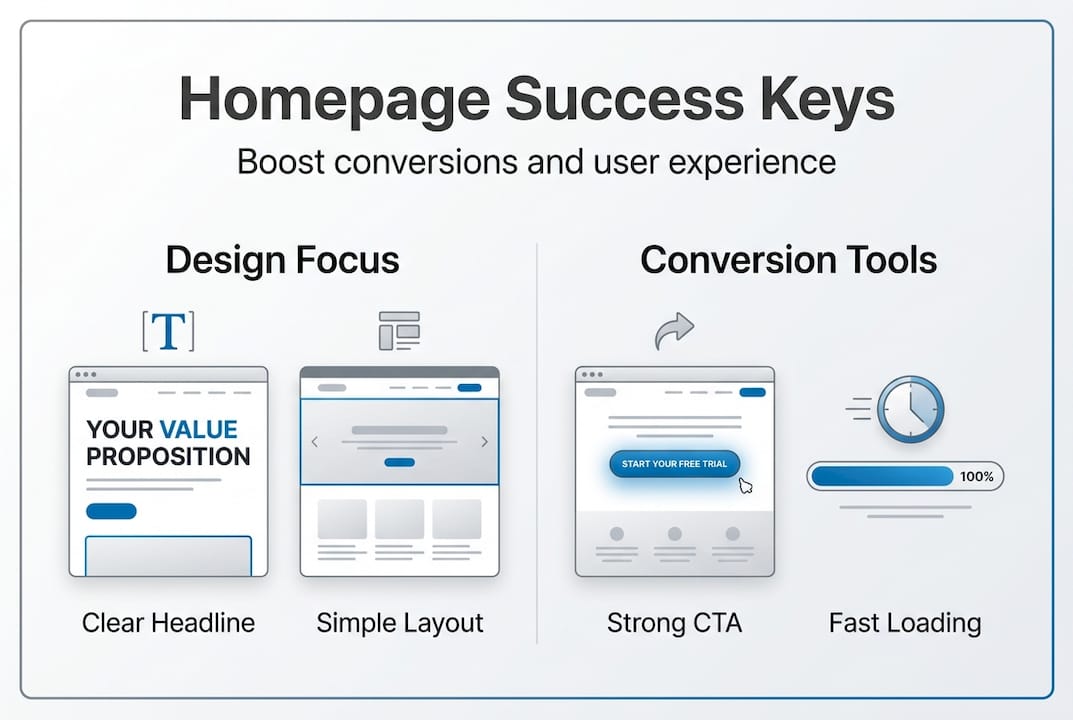 Pro Tip: Test your homepage by showing it to someone unfamiliar with your business for five seconds, then asking them what your company does. If they can’t explain it clearly, your messaging needs work.
Preparing your homepage for optimal user experience
Before diving into design execution, you need to lay the groundwork for a homepage that performs flawlessly across all scenarios. Responsive web design and fast loading speeds are essential to keeping visitors engaged on homepages in 2026. More than 60% of web traffic now comes from mobile devices, so your homepage must adapt perfectly to every screen size. Responsive design goes beyond simply shrinking your desktop layout. It requires rethinking how content is prioritized on smaller screens. Your mobile homepage should maintain all essential elements while adjusting the hierarchy for thumb-friendly navigation. Buttons need adequate spacing to prevent misclicks, and text must remain readable without zooming. Test your homepage on actual devices, not just browser emulators, because real-world performance often differs from simulated environments. Page speed directly impacts both user satisfaction and search rankings. Users expect homepages to load in under three seconds, and every additional second increases bounce rates exponentially. Start by compressing images without sacrificing quality, using modern formats like WebP. Implement lazy loading so images below the fold only load when users scroll to them. Minimize JavaScript and CSS files, combining them where possible to reduce server requests. Accessibility isn’t optional anymore. It’s both a legal requirement in many jurisdictions and a competitive advantage. Ensure your homepage works with screen readers by using proper heading hierarchy and alt text for images. Provide sufficient color contrast between text and backgrounds, aiming for at least a 4.5:1 ratio. Keyboard navigation should allow users to access all interactive elements without a mouse. These accessibility features also improve your SEO because search engines favor sites that follow web standards. Preparing your homepage involves mapping out content hierarchy before you start designing. Create a wireframe that shows where each element belongs and how users will flow through the page. Consider these preparation steps:- Audit your current homepage to identify what’s working and what’s causing friction
- Research competitor homepages to spot industry standards and opportunities to differentiate
- Define your primary conversion goal and ensure every element supports it
- Gather all necessary assets including images, copy, testimonials, and trust badges
- Create multiple layout prototypes to test different approaches
| Preparation Element | Desktop Priority | Mobile Priority |
|---|---|---|
| Hero section with headline | Above fold, full width | Above fold, condensed |
| Primary CTA | Above fold, right side | Above fold, centered |
| Navigation menu | Horizontal, always visible | Hamburger menu |
| Social proof | Mid-page, sidebar | Mid-page, full width |
| Secondary content | Multi-column layout | Single column, stacked |
Executing best practices for homepage design and content
Now that you’ve prepared your foundation, it’s time to implement the specific tactics that transform a good homepage into a conversion machine. Well-structured content, strategic CTAs, and consistent branding contribute significantly to user trust and conversion success. Every design decision should serve your ultimate goal of guiding visitors toward taking action. Visual hierarchy directs attention to the most important elements first. Use size, color, and positioning to create a natural flow down the page. Your headline should be the largest text element, followed by subheadings that break up content into scannable sections. White space around key elements makes them stand out and prevents your homepage from feeling cluttered. Users should be able to grasp your main message in a quick scan before deciding whether to read deeper.
Follow these steps to execute effective homepage design:
Visual hierarchy directs attention to the most important elements first. Use size, color, and positioning to create a natural flow down the page. Your headline should be the largest text element, followed by subheadings that break up content into scannable sections. White space around key elements makes them stand out and prevents your homepage from feeling cluttered. Users should be able to grasp your main message in a quick scan before deciding whether to read deeper.
Follow these steps to execute effective homepage design:
- Start with a compelling hero section that combines your headline, supporting copy, and primary CTA
- Add a brief value proposition statement that explains your unique advantage in one sentence
- Include social proof elements like client logos, testimonial quotes, or impressive statistics
- Feature your core services or products with clear descriptions and links to detailed pages
- Incorporate a secondary CTA that offers a lower-commitment option for visitors not ready to buy
- End with a footer that provides essential links, contact information, and trust signals
- Use your brand colors consistently, typically limiting your palette to three to four main colors
- Stick to two font families maximum, one for headings and one for body text
- Maintain consistent spacing and padding between elements
- Apply the same style to all buttons and interactive elements
- Ensure your tone of voice matches across all copy
Verifying your homepage effectiveness and optimizing over time
Creating a great homepage isn’t a one-time project. It requires ongoing measurement and refinement based on real user behavior and performance data. Regular A/B testing and performance monitoring are vital for maintaining homepage effectiveness and increasing conversions. The most successful websites treat their homepage as a living document that evolves with user needs and market conditions. Start by tracking the right metrics to understand how your homepage performs. Bounce rate tells you what percentage of visitors leave without interacting with your site. A high bounce rate often indicates a mismatch between user expectations and what your homepage delivers. Time on page reveals whether users find your content engaging enough to stick around. Conversion rate is your ultimate success metric, showing how many visitors complete your desired action. A/B testing removes guesswork from optimization decisions. Create two versions of a specific element, like your headline or CTA button color, and split traffic between them. Let the test run until you have statistically significant results, typically requiring at least 1,000 visitors per variation. Test one element at a time so you can clearly attribute any performance changes to that specific change. Common elements to test include:- Headline variations that emphasize different benefits
- CTA button colors, sizes, and copy
- Hero image versus video backgrounds
- Form length and field requirements
- Social proof placement and format
| Metric | What It Measures | Target Range | Action If Below Target |
|---|---|---|---|
| Bounce Rate | Visitors who leave immediately | 40-60% | Review messaging clarity and page speed |
| Time on Page | Average engagement duration | 45-90 seconds | Add more compelling content or visuals |
| Conversion Rate | Visitors who complete desired action | 2-5% | Test CTA placement and copy |
| Page Load Time | Speed until fully interactive | Under 3 seconds | Optimize images and code |
Improve your homepage with expert web design services
Implementing these homepage best practices requires both strategic thinking and technical expertise. Professional design ensures your homepage follows the latest standards while reflecting your unique brand identity. When you partner with specialists in user-centric website ui ux design, you get a team that understands the psychology behind effective homepages and knows how to translate that knowledge into measurable results. A custom website development company can tailor your homepage to your specific audience and business goals. They’ll conduct user research to understand what your target customers actually need, then design an experience that delivers it. Custom development also means your homepage can grow with your business, adding new features and functionality as your needs evolve. Real results speak louder than promises. The affinity ua case study demonstrates how strategic homepage redesign can transform business outcomes. By applying these exact principles, combining user research with data-driven design decisions, and continuously optimizing based on performance metrics, businesses see dramatic improvements in engagement and conversions. Your homepage has the potential to become your most powerful marketing asset when designed with intention and expertise.